
dotnet-diag
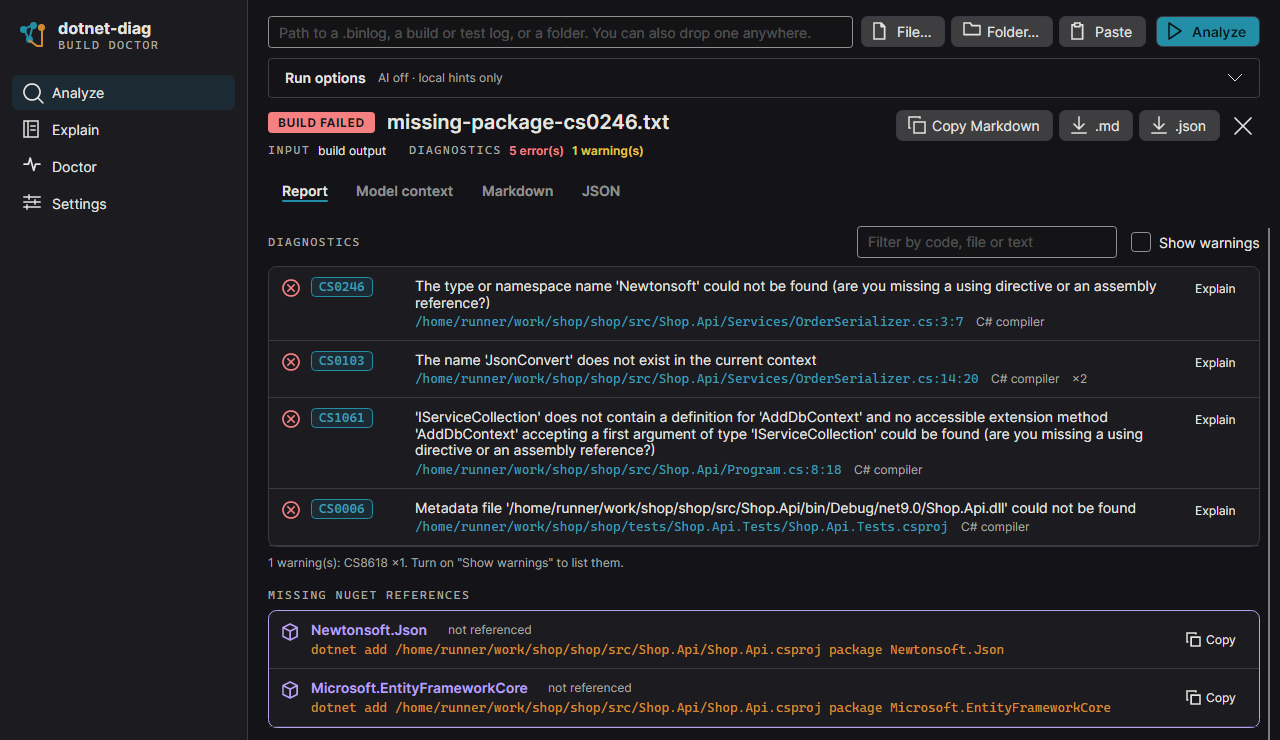
Point dotnet-diag at a failed .NET build or test run and get the root cause first and the concrete change to make, offline by default.
A failed .NET build hands you a log, not a root cause. MSBuild prints every error twice, a restore failure surfaces as a stack of compiler errors downstream, and pasting the whole log into a chat model sends thousands of lines you haven't looked at. dotnet-diag reads the log, ranks the root cause ahead of its symptoms, and tells you what to change: a missing package reference, a version pin, the fix for an SDK mismatch, or, with an AI provider you choose, a code patch.
Root cause first
Errors are de-duplicated and grouped, and restore and SDK failures rank ahead of the compiler errors they cause. Downstream symptoms such as CS0006 are flagged as symptoms.
Missing package or using
It maps unresolved names like JsonConvert or AddDbContext to the package that provides them, then reads your .csproj and Directory.Packages.props to tell "package missing" from "using missing".
Version conflicts, one command
It pulls the competing versions out of NU1605, NU1107, MSB3277, and similar errors and proposes the exact dotnet add package … --version command.
CI paths, your checkout
Paths like /home/runner/work/... and D:\a\... map onto your local working tree, with the source lines around each error and uncommitted files flagged.
Offline by default
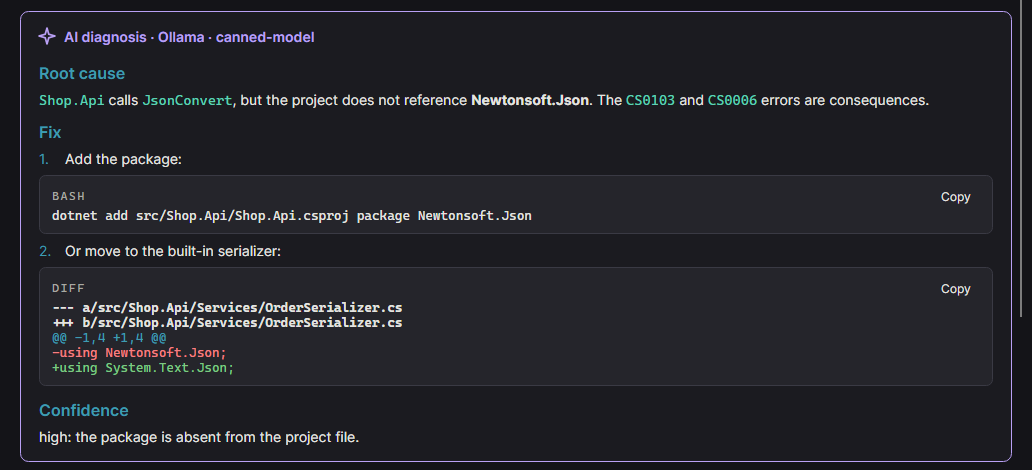
Built-in heuristics cover the most common MSBuild, compiler, NuGet, and SDK errors. An AI diagnosis from Ollama, Anthropic Claude, or an OpenAI-compatible endpoint runs only when you pick a provider.
Ready for CI
Markdown for $GITHUB_STEP_SUMMARY, JSON for tooling, and --exit-code to fail the job when errors or failing tests are found.
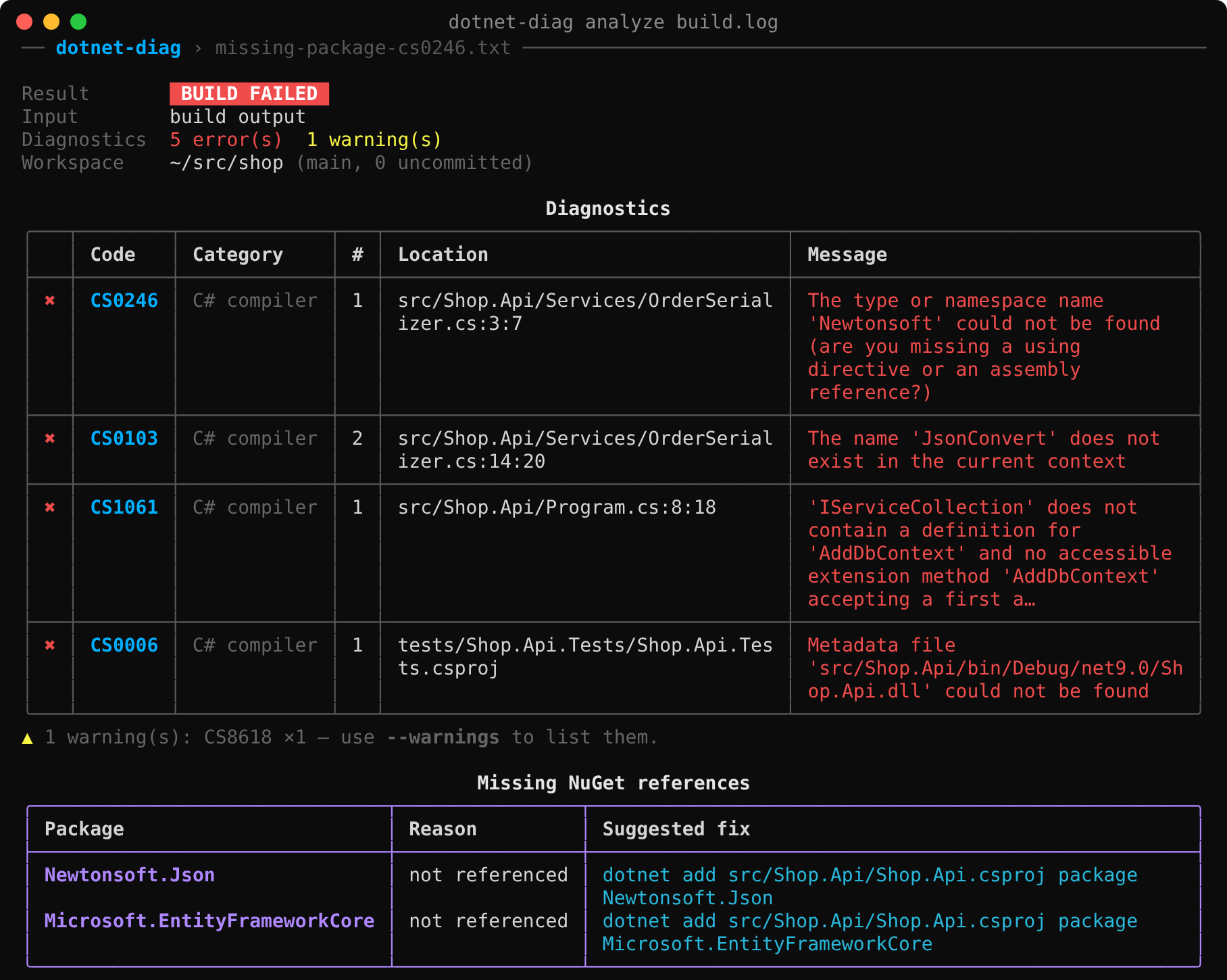
How it works
- Parse the log. Give it an MSBuild binary log (
-bl), a text build log, ordotnet testoutput, as a file, a folder, or piped input. The binary log format is detected by content. - Rank and diagnose offline. Built-in heuristics rank the root cause, find missing packages and version conflicts, and pull in source lines and package references from your checkout. No model is involved.
- Optionally ask a model. Name a provider and it sends a token-budgeted bundle (1000 tokens by default) instead of the raw log. Nothing is sent until you pick one,
--show-contextprints exactly what would go, and a provider failure falls back to the offline diagnosis.
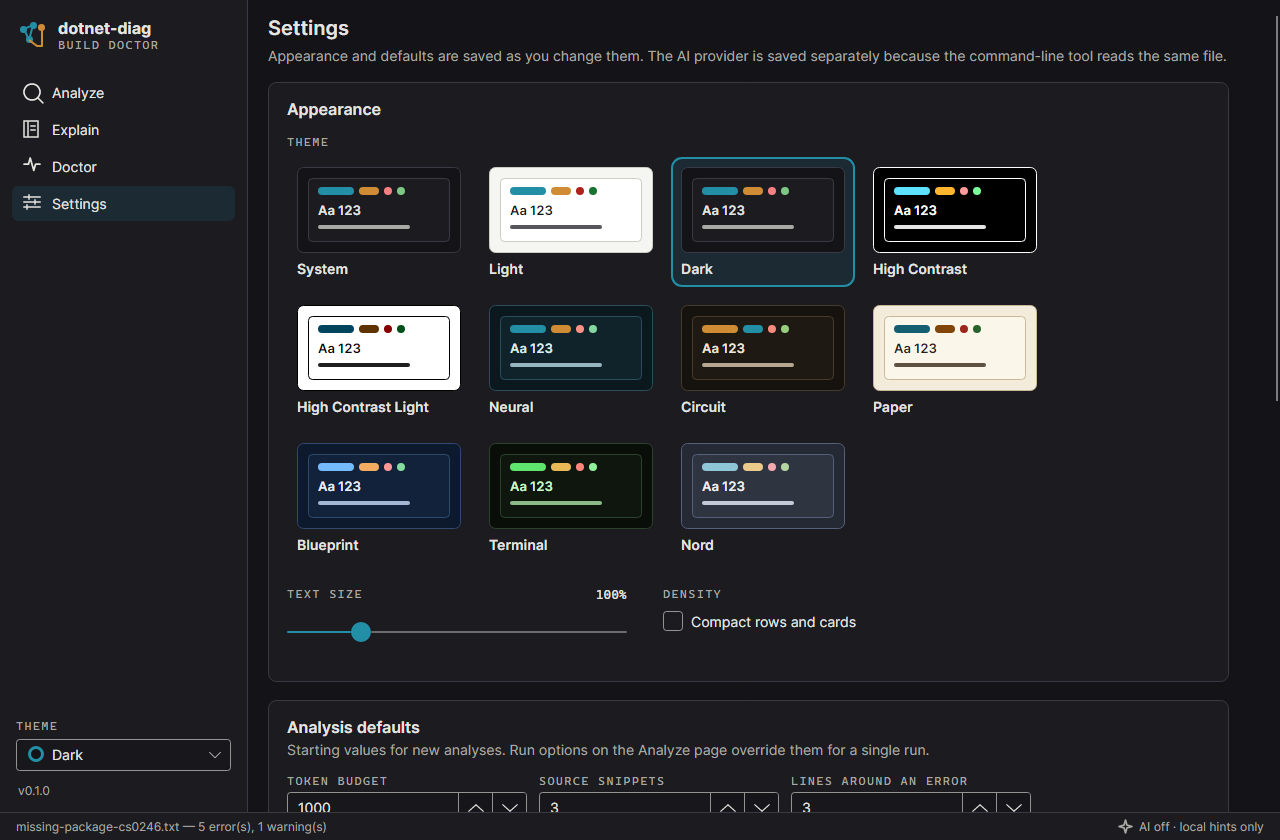
The same engine runs in a desktop app for Windows, macOS, and Linux, which covers everything the command line does.
Works with
- MSBuild binary logs
- Terminal logger output
- VSTest
- Microsoft.Testing.Platform
- GitHub Actions
- Azure Pipelines
- Ollama
- Anthropic Claude
- OpenAI-compatible endpoints
Try it
There is no NuGet package yet, so build it from source with the .NET 9 SDK and install it as a global tool.
git clone https://github.com/siebe41/dotnet-diag.git
cd dotnet-diag
dotnet pack src/DotnetDiag.Cli -c Release
dotnet tool install --global DotnetDiag.Tool --source ./artifacts/nupkg

# then, in a project with a failing build or test run:
dotnet build -bl            # writes msbuild.binlog
dotnet-diag analyze msbuild.binlog
dotnet test 2>&1 | dotnet-diag analyze
Get involved
dotnet-diag is free and open source under the MIT license, and it is still in testing. Its eval runs on intentionally broken projects, failures built to be found, so the most useful help is running it on real failing builds and test runs, boring ones included. Report the diagnoses that missed the root cause: whether the top hint named the real cause, whether the suggested fix worked, and how much time it saved, or cost, compared with the raw log. Reports go in the repo's issues; check logs from private code before you paste them.
Signing up creates a free siebe41.com membership tagged for this project. That is how testers hear when a packaged build is ready to test.